Windows EXE or ZIP apps: Edit App Details
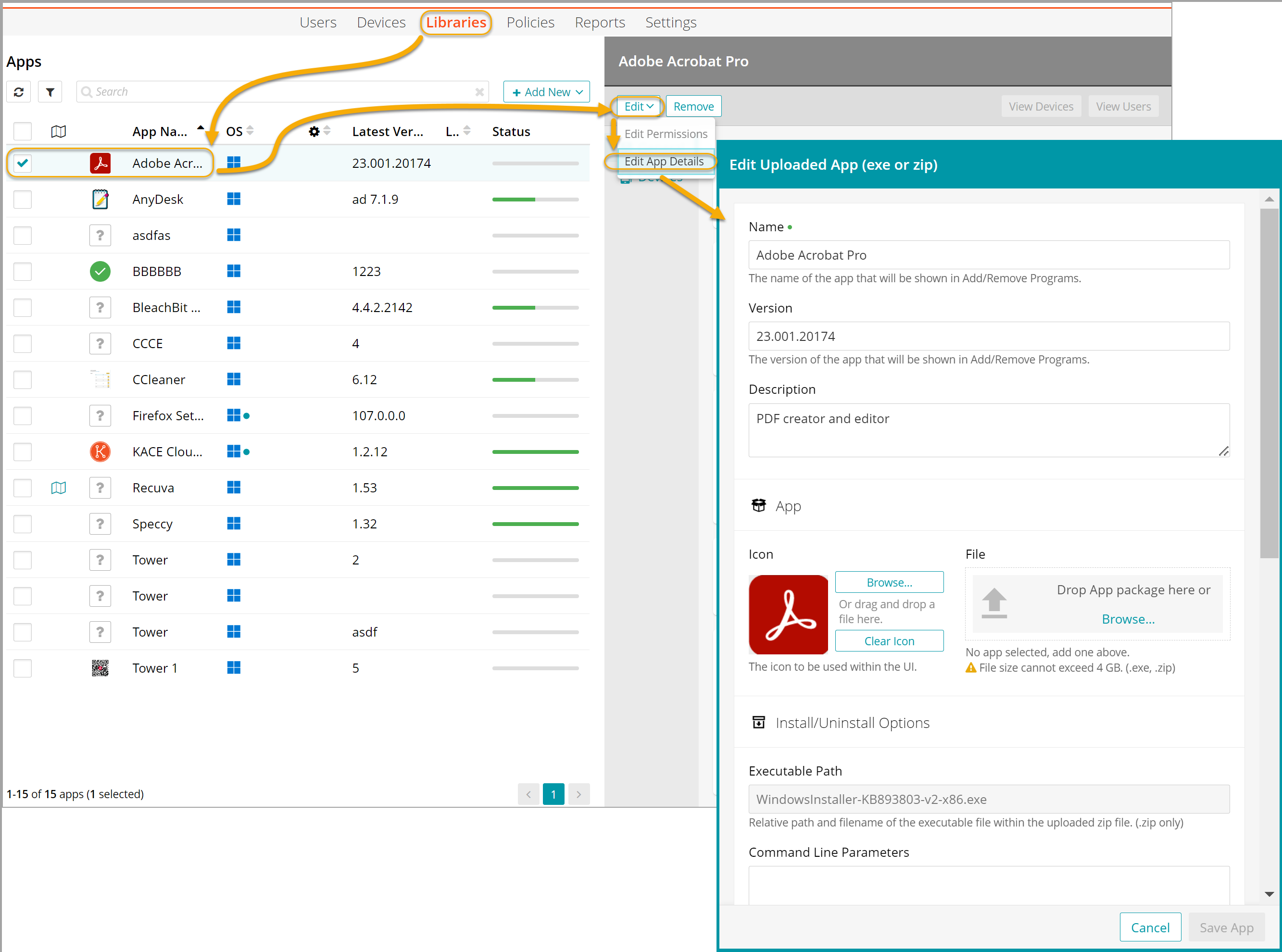
When you upload a Windows EXE or ZIP app file to the Apps Library, the app details can be changed using the edit function.
- Go to the Libraries tab.
- Click the Apps icon.
- Select an app.
- Click Edit > Edit App Details.
- Edit the app details, as needed. For information about the individual fields and options, see Upload EXE, MSI, ZIP, DMG, or PKG app to the Apps Library.
- Click Save App.